In B2B wholesale and contracting businesses, deals begin with a formal price proposal. BPS POS Quotation Module lets you build professional estimates without reducing store inventory counts.
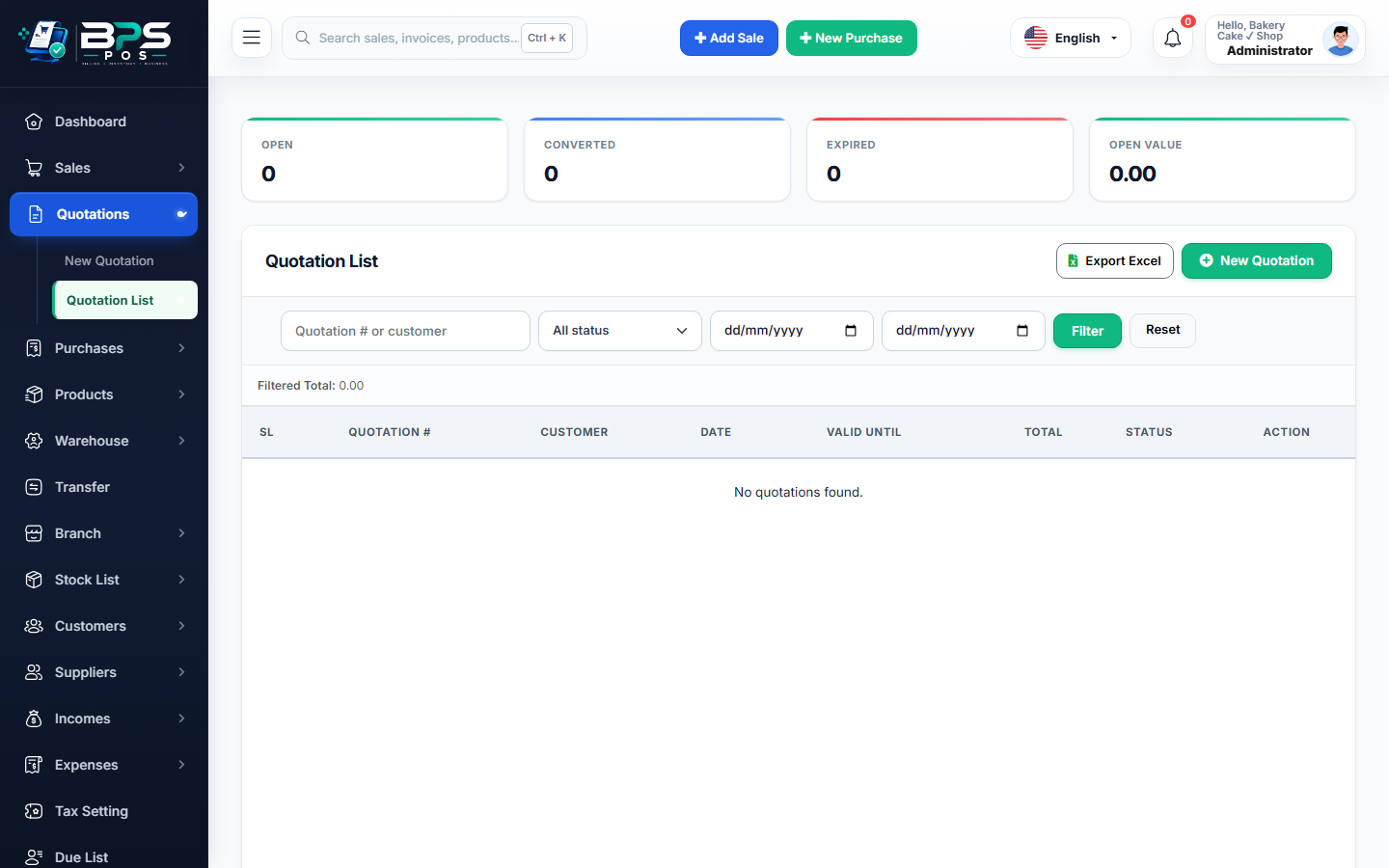
Figure: BPS POS Quotations and Estimates Creator in BPS POS.
Creating a New Client Quotation
Follow these step-by-step instructions inside your BPS POS dashboard to configure and operate this workflow seamlessly:
- Go to Quotations → Add Quotation from the left sidebar.
- Select Customer: Choose the client or create a new prospective company profile.
- Add Line Items: Search and add products, specify quoted unit prices, and apply bulk volume discounts.
- Set Tax & Shipping: Add applicable VAT percentages and freight delivery charges.
- Save & Preview: Generate a formatted Quotation document ready for client presentation.
BPS POS Pro Tip & Best Practice
Drafting a quotation reserves zero stock until confirmed, keeping your physical inventory counts 100% accurate for retail counters.
Why This Workflow Matters for Your Business
Lightning-Fast Operations
Eliminate cashier bottlenecks, reduce customer waiting times, and handle peak rush hours effortlessly.
100% Financial Accuracy
Automate tax math, stock deductions, and ledger balances to eliminate human calculation mistakes.
Frequently Asked Questions (FAQs)
Can I edit a quotation if the client requests pricing revisions?
Yes! Quotations remain fully editable until they are converted into a confirmed sale.
Ready to Upgrade Your Retail Billing?
Experience lightning-fast billing, automated stock tracking, and multi-branch control with BPS POS.
Explore Pricing Plans →