Categories Overview
Product categories in BPS POS organize your inventory into logical departments (e.g., Dairy, Pharmacy, Electronics, Bakery). On the POS billing screen, categories display as quick-filter touch tabs, allowing cashiers to locate and bill non-barcoded items in seconds.
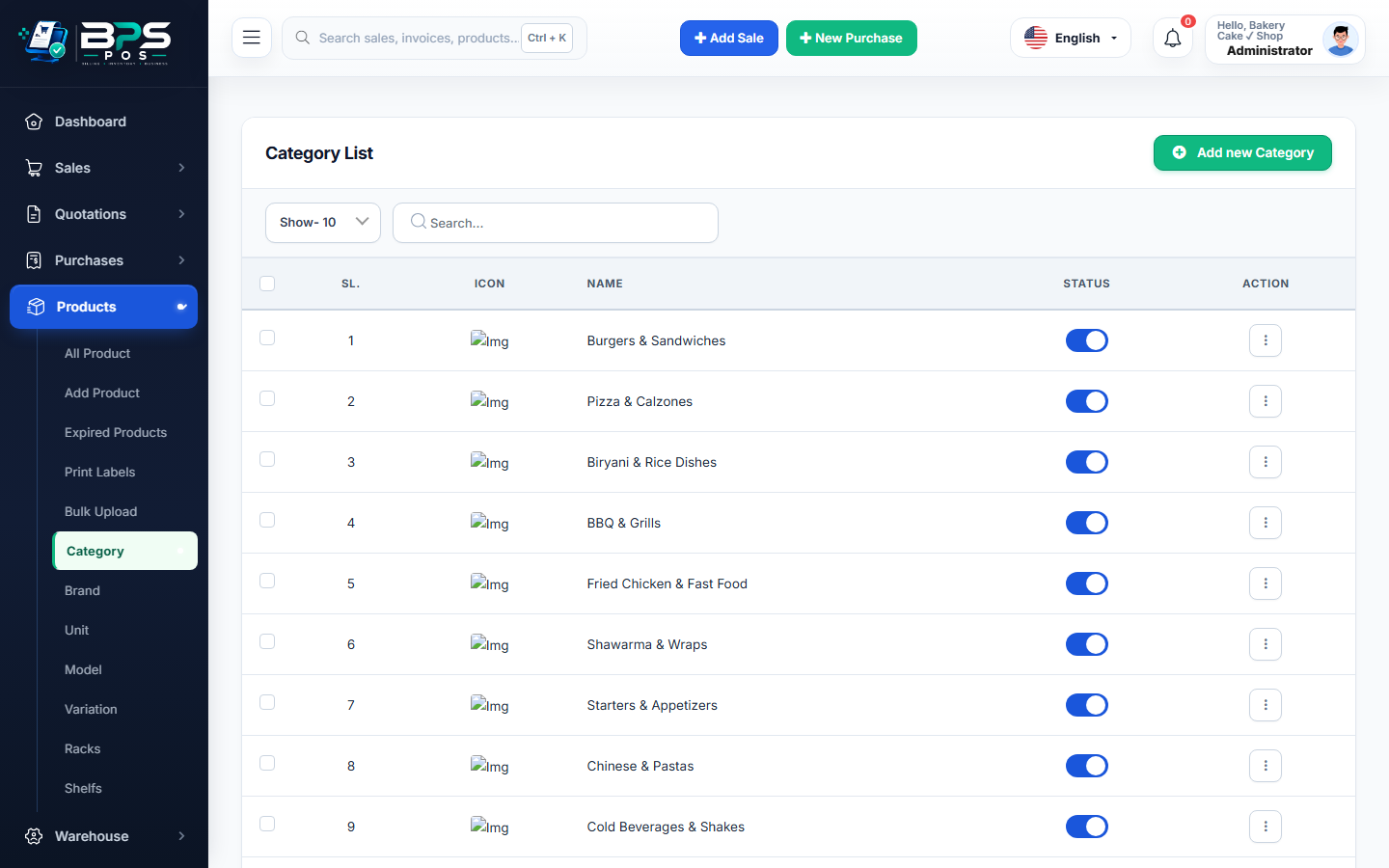
Figure 1: BPS POS Product Categories list and quick-add interface.
How to Add a Category
- Go to Products → Category from the main menu.
- Click Add Category.
- Enter Category Name and upload an optional icon/thumbnail.
- Click Save to make it active across all POS terminals immediately.