Customers often request duplicate receipts for expense reimbursement or warranty claims. BPS POS enables instant reprinting of any historical receipt in both thermal slip and A4 formats.
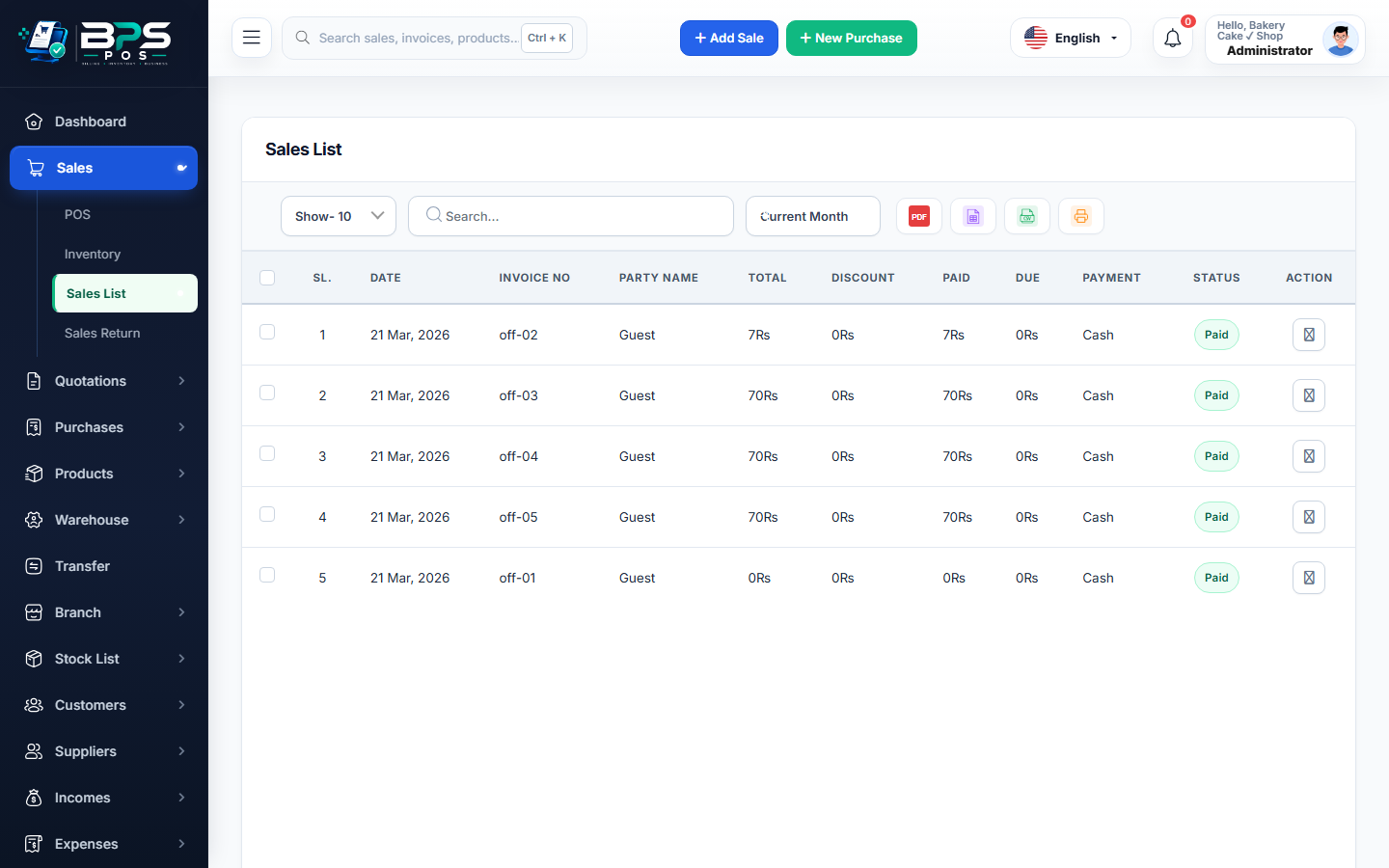
Figure: BPS POS Reprint Sales Receipt Modal in BPS POS.
Steps to Reprint a Past Invoice
Follow these step-by-step instructions inside your BPS POS dashboard to configure and operate this workflow seamlessly:
- Go to Sales → Sales List.
- Search for the Invoice Number or Customer Phone.
- Click the Action dropdown button on the right side of the invoice row.
- Select Print Thermal Receipt for POS slip printers, or Print A4 Invoice for full-page printers.
- The receipt prints with a "Duplicate Receipt" watermark for security and audit clarity.
BPS POS Pro Tip & Best Practice
On the POS billing counter, pressing Ctrl + P immediately after checkout reprints the most recently generated bill in 1 second.
Why This Workflow Matters for Your Business
Lightning-Fast Operations
Eliminate cashier bottlenecks, reduce customer waiting times, and handle peak rush hours effortlessly.
100% Financial Accuracy
Automate tax math, stock deductions, and ledger balances to eliminate human calculation mistakes.
Frequently Asked Questions (FAQs)
Does reprinting an invoice affect inventory counts?
No. Reprinting is purely a visual action and has zero impact on stock quantities or revenue ledgers.
Ready to Upgrade Your Retail Billing?
Experience lightning-fast billing, automated stock tracking, and multi-branch control with BPS POS.
Explore Pricing Plans →