
Vendor disputes over unpaid bills cost time and money. BPS POS Supplier Ledger provides an exact chronological record of purchase shipments, debit notes, bank payments, and remaining payable liabilities.
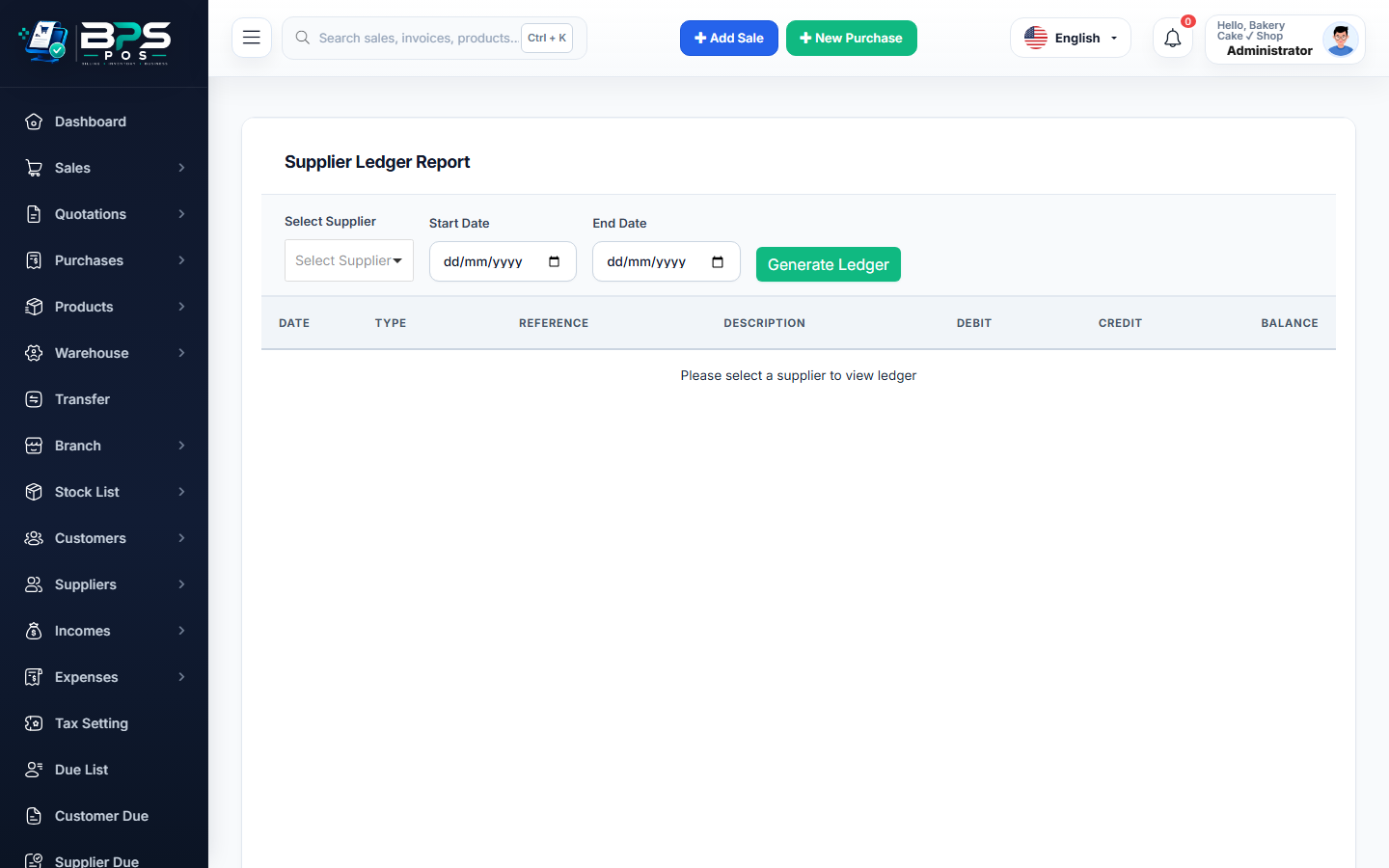
Figure: BPS POS Supplier Account Ledger Statement in BPS POS.
Generating Supplier Ledgers
Follow these step-by-step instructions inside your BPS POS dashboard to configure and operate this workflow seamlessly:
- Open Reports → Supplier Ledger Reports.
- Select Target Vendor & Period: Filter by current month or custom date range.
- Audit Line-by-Line: Review Purchase Bills (Credit additions to liability), Payment Vouchers (Debit reductions), and Returns.
- Verify Closing Balance: Compare the ledger closing balance with the vendor's issued statement to spot discrepancies.
- Export Statement: Download as Excel for your accountant or PDF for vendor sharing.
BPS POS Pro Tip & Best Practice
Perform supplier statement reconciliations monthly to claim unapplied discounts and avoid double payments.
Why This Workflow Matters for Your Business
Lightning-Fast Operations
Eliminate cashier bottlenecks, reduce customer waiting times, and handle peak rush hours effortlessly.
100% Financial Accuracy
Automate tax math, stock deductions, and ledger balances to eliminate human calculation mistakes.
Frequently Asked Questions (FAQs)
Does the ledger record payment methods used (Cash, Bank, Cheque)?
Yes, the "Payment Source" column explicitly details the bank account or cheque number used.
Ready to Upgrade Your Retail Billing?
Experience lightning-fast billing, automated stock tracking, and multi-branch control with BPS POS.
Explore Pricing Plans →



