
The Daily Day Book Report provides business owners with a complete single-page audit of today's financial operations. BPS POS Day Book compiles sales receipts, customer due collections, operational expenses, and bank transfers.
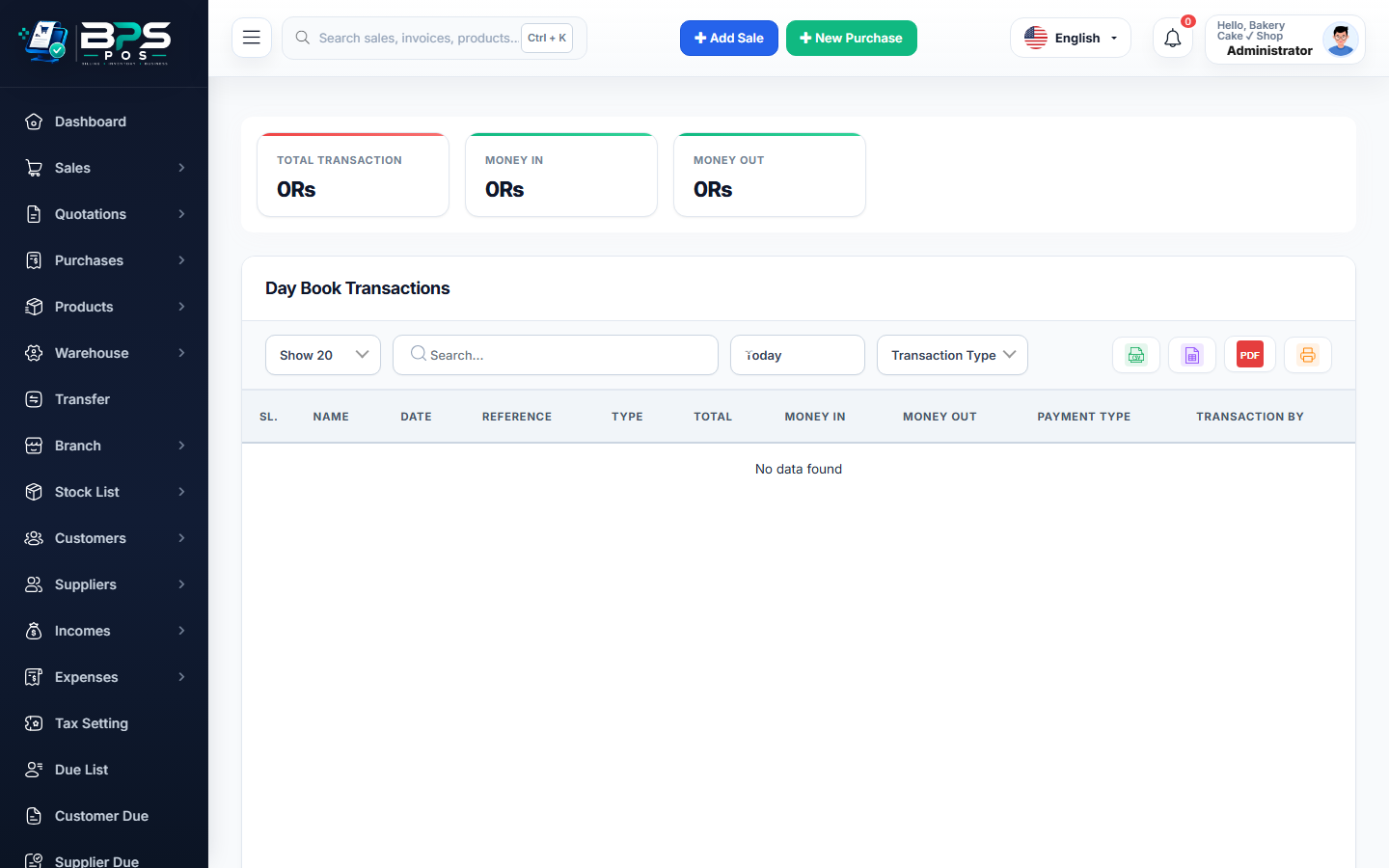
Figure: BPS POS Daily Day Book Financial Audit Report in BPS POS.
Analyzing the Daily Day Book
Follow these step-by-step instructions inside your BPS POS dashboard to configure and operate this workflow seamlessly:
- Navigate to Reports → Day Book Reports.
- Select Calendar Date (e.g. Today or specific historical date).
- Review Debit Section (Total Money In): Inspect cash retail sales, credit card settlements, customer dues collected, and direct income.
- Review Credit Section (Total Money Out): Inspect supplier payments, cash expenses, and customer return refunds.
- Verify Net Closing Position: Ensure
Opening Float + Debits - Credits = Physical Cash on Hand.
BPS POS Pro Tip & Best Practice
Compare the Day Book closing balance against physical cash drawer counts every evening to catch discrepancies immediately.
Why This Workflow Matters for Your Business
Lightning-Fast Operations
Eliminate cashier bottlenecks, reduce customer waiting times, and handle peak rush hours effortlessly.
100% Financial Accuracy
Automate tax math, stock deductions, and ledger balances to eliminate human calculation mistakes.
Frequently Asked Questions (FAQs)
Can I filter the Day Book by a specific retail branch?
Yes! The branch filter isolates local store transactions or consolidates enterprise data.
Ready to Upgrade Your Retail Billing?
Experience lightning-fast billing, automated stock tracking, and multi-branch control with BPS POS.
Explore Pricing Plans →



