Custom Barcode Label Printing
Selling custom garments, loose groceries, or unbarcoded hardware? BPS POS Barcode Generator lets you design and print professional barcode stickers showing Store Name, Item Name, Price, Barcode Graphic, and Expiry Date formatted for any thermal barcode printer or standard A4 sticky sheets.
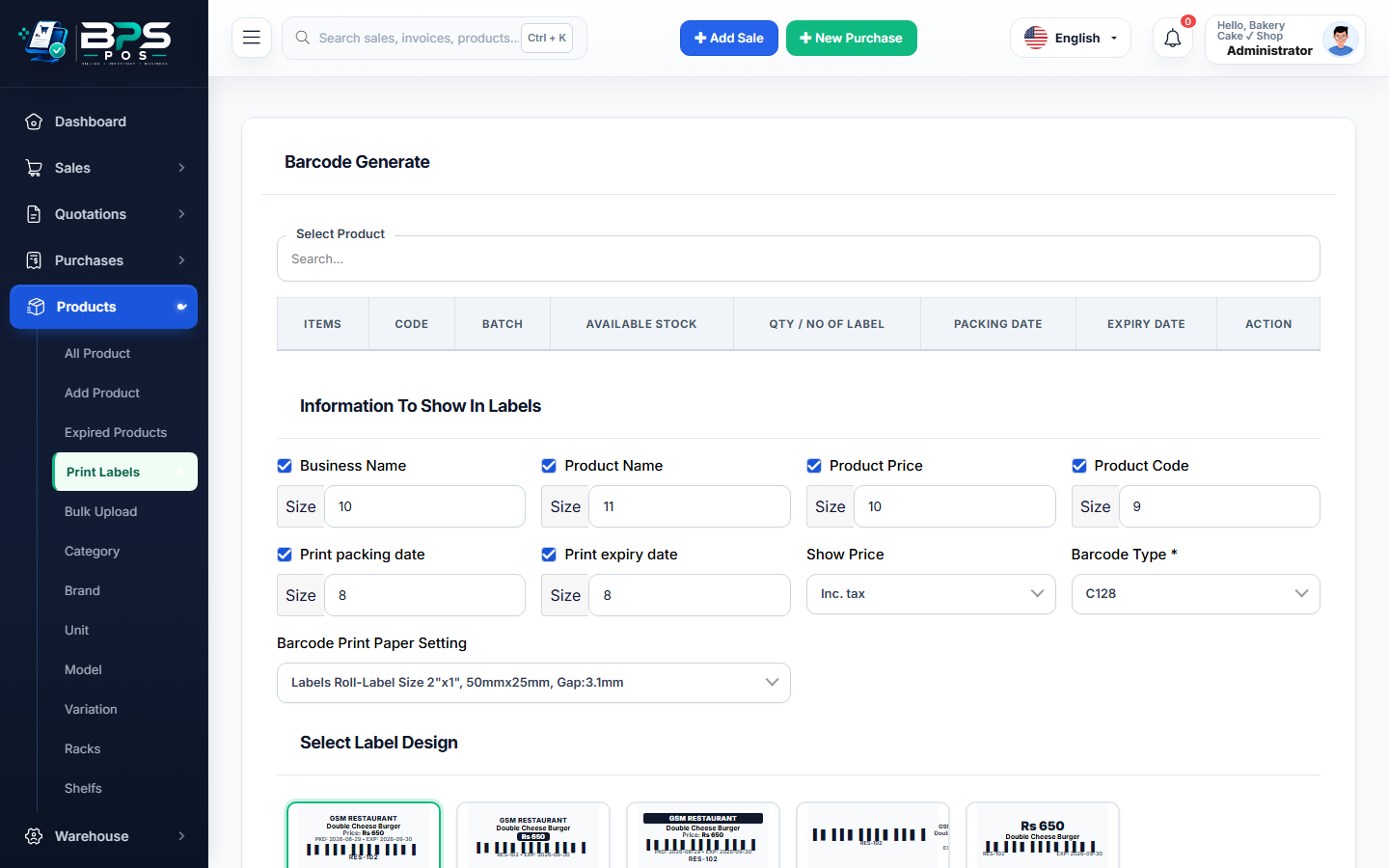
Figure 1: BPS POS Barcode Generator and label layout customizer.
How to Print Barcode Labels
- Go to Products → Print Labels.
- Search and select the products you want to print labels for.
- Specify the number of stickers needed for each item.
- Select label format (Single thermal roll, 24-per-sheet, 40-per-sheet A4).
- Click Print Preview and send directly to your thermal barcode printer.