Depositing counter cash into the bank or transferring funds between checking accounts requires accurate recording. BPS POS Banking Transactions manages Cash-to-Bank deposits, Bank-to-Cash withdrawals, and Inter-Bank transfers.
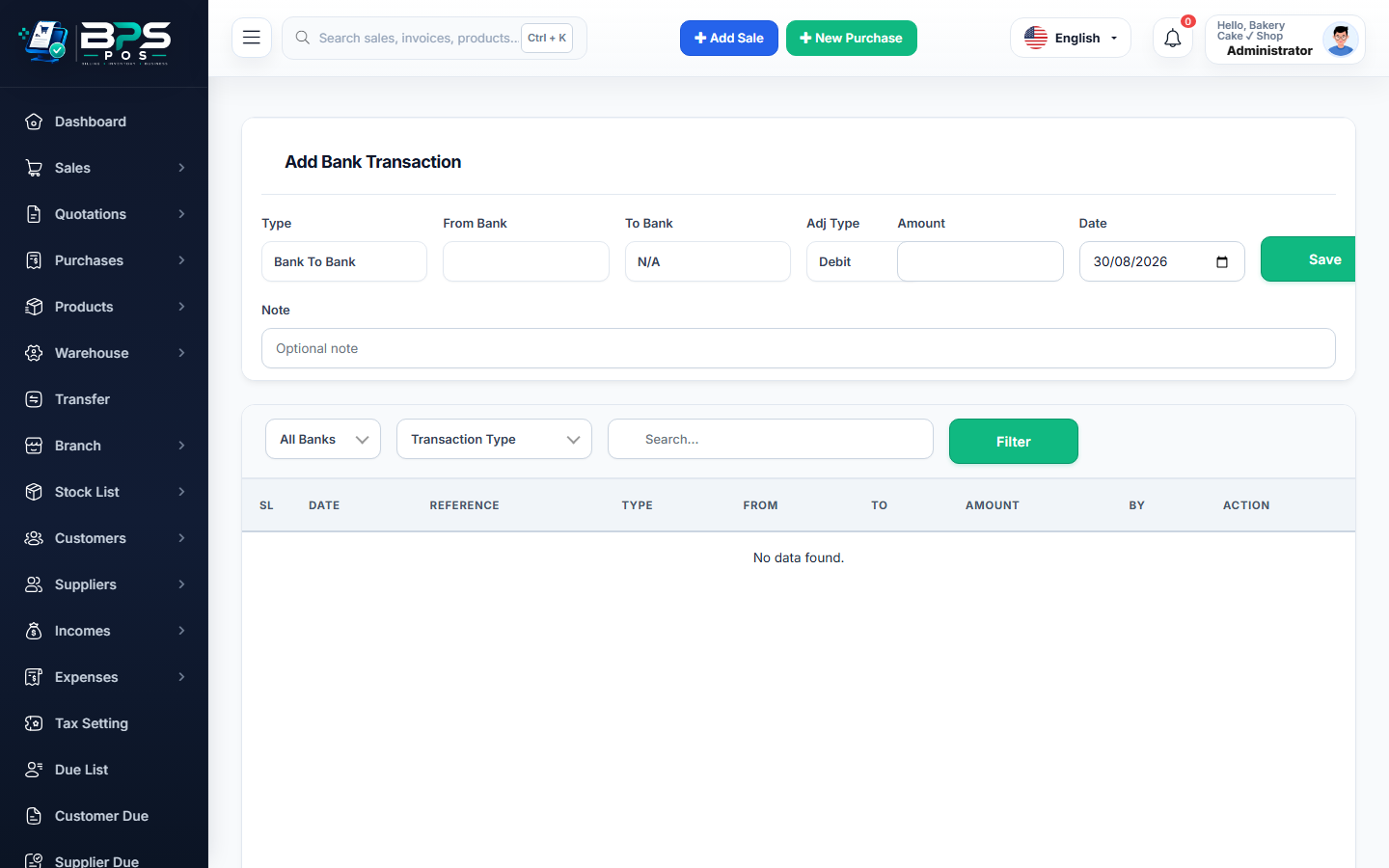
Figure: BPS POS Bank Deposits Withdrawals and Inter-Account Transfers in BPS POS.
Executing Bank Transactions
Follow these step-by-step instructions inside your BPS POS dashboard to configure and operate this workflow seamlessly:
- Go to Finance → Bank Transactions → Add Transaction.
- Select Transaction Type: Choose Deposit (Cash → Bank), Withdrawal (Bank → Cash), or Transfer (Bank A → Bank B).
- Choose Source & Destination: Select the sending account and receiving account.
- Enter Transfer Sum: Input the exact amount transferred and reference deposit slip number.
- Save Transaction: Source account debits and destination account credits simultaneously with 100% mathematical balance.
BPS POS Pro Tip & Best Practice
Attach a photo of the bank deposit slip into the transaction record for ironclad audit proof.
Why This Workflow Matters for Your Business
Lightning-Fast Operations
Eliminate cashier bottlenecks, reduce customer waiting times, and handle peak rush hours effortlessly.
100% Financial Accuracy
Automate tax math, stock deductions, and ledger balances to eliminate human calculation mistakes.
Frequently Asked Questions (FAQs)
Does depositing cash reduce the physical cash-in-hand register balance?
Yes! The cash drawer balance is credited (decreased) and the target bank account is debited (increased) immediately.
Ready to Upgrade Your Retail Billing?
Experience lightning-fast billing, automated stock tracking, and multi-branch control with BPS POS.
Explore Pricing Plans →