
While retail uses thermal slips, wholesale and corporate clients require standard full-page A4 invoices. BPS POS generates structured A4/Letter tax invoices complete with itemized tax columns, bank details, and signature lines.
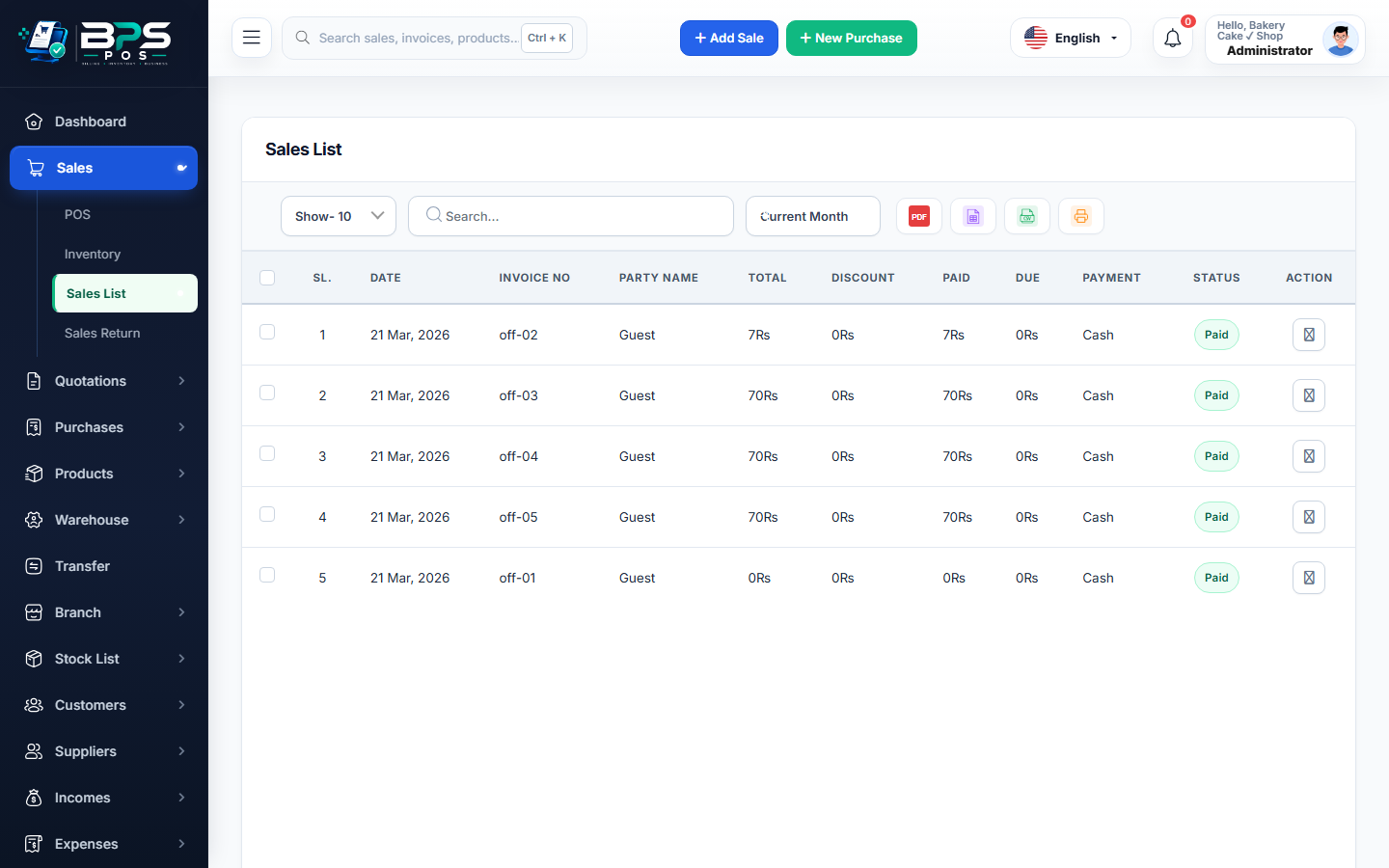
Figure: BPS POS Professional A4 Sales Tax Invoice in BPS POS.
Printing A4 Invoices in BPS POS
Follow these step-by-step instructions inside your BPS POS dashboard to configure and operate this workflow seamlessly:
- Open Sales Invoice: Go to Sales → Sales List and click the action menu on the desired transaction.
- Click "Print A4 Invoice": The system renders a formal document view.
- Inspect Header & Bank Details: Ensure company tax number, customer billing address, and bank payment info are displayed.
- Download PDF or Print: Save as high-resolution PDF or send directly to laser/inkjet office printers.
BPS POS Pro Tip & Best Practice
Add your official digital signature and company stamp image in Business Settings to print ready-to-dispatch authorized invoices.
Why This Workflow Matters for Your Business
Lightning-Fast Operations
Eliminate cashier bottlenecks, reduce customer waiting times, and handle peak rush hours effortlessly.
100% Financial Accuracy
Automate tax math, stock deductions, and ledger balances to eliminate human calculation mistakes.
Frequently Asked Questions (FAQs)
Can I customize the color accent of A4 invoice templates?
Yes, choose from modern blue, classic slate, or corporate emerald themes in Invoice Settings.
Ready to Upgrade Your Retail Billing?
Experience lightning-fast billing, automated stock tracking, and multi-branch control with BPS POS.
Explore Pricing Plans →

