Switching to BPS POS from manual paper registers or older POS software is frictionless. BPS POS Bulk CSV Importer lets you import hundreds of customer and supplier records with opening balances in seconds.
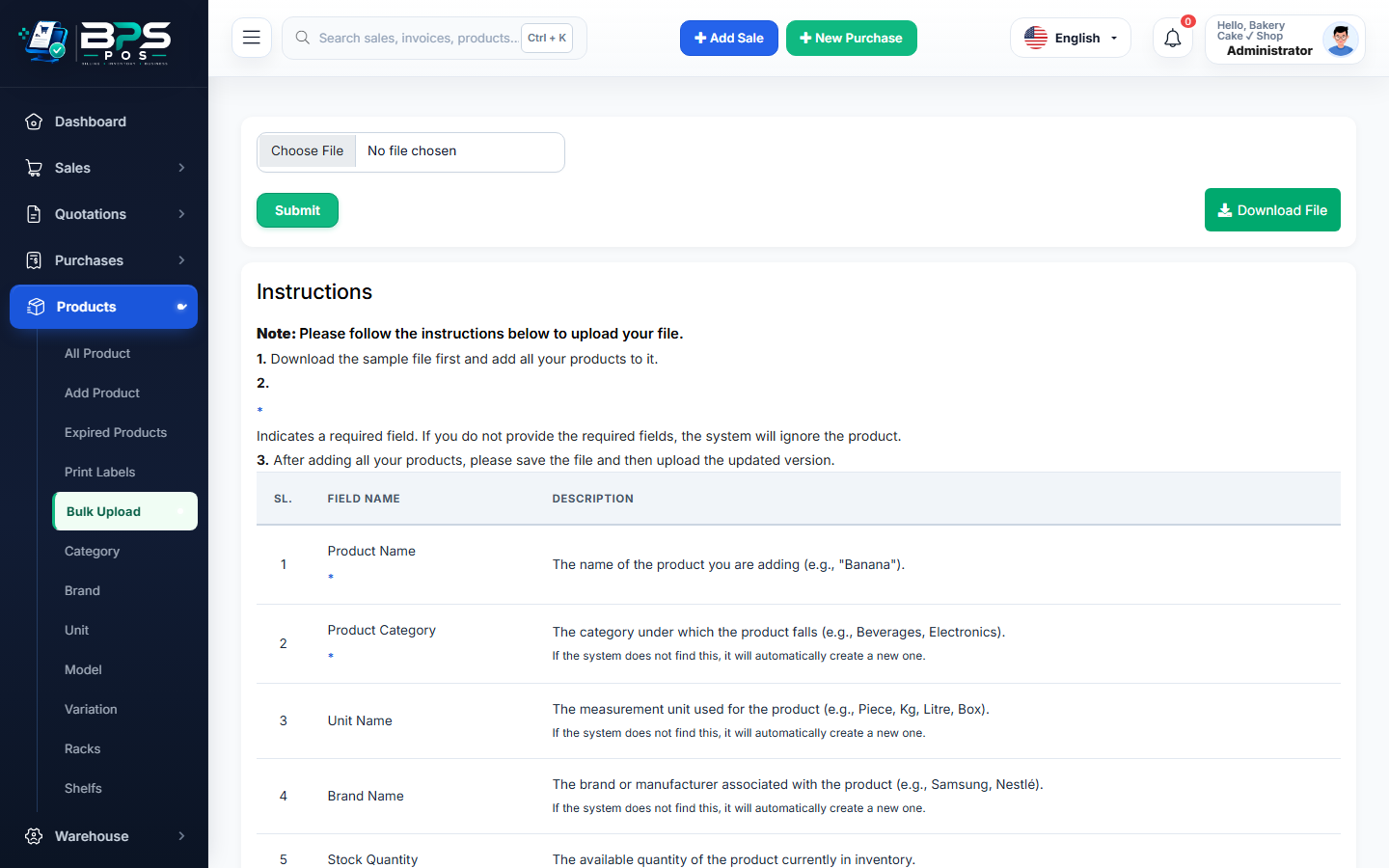
Figure: BPS POS Bulk CSV Import for Customers and Suppliers in BPS POS.
Bulk CSV Contact Import Workflow
Follow these step-by-step instructions inside your BPS POS dashboard to configure and operate this workflow seamlessly:
- Go to Parties → Bulk Import.
- Download Sample CSV Template: Click "Download Customer Template" or "Supplier Template".
- Populate Data: Fill in columns for Name, Phone, Email, Address, Credit Limit, and Opening Balance in Excel.
- Save as CSV: Export the spreadsheet as standard UTF-8 CSV.
- Upload & Validate: Choose file and click Import Data. BPS POS validates records and creates profiles with starting balances.
BPS POS Pro Tip & Best Practice
Ensure phone numbers start with valid country/area codes to ensure seamless WhatsApp and SMS invoice delivery.
Why This Workflow Matters for Your Business
Lightning-Fast Operations
Eliminate cashier bottlenecks, reduce customer waiting times, and handle peak rush hours effortlessly.
100% Financial Accuracy
Automate tax math, stock deductions, and ledger balances to eliminate human calculation mistakes.
Frequently Asked Questions (FAQs)
What if duplicate phone numbers exist in the CSV?
BPS POS highlights duplicates and lets you choose between "Skip Duplicate" or "Update Existing Profile".
Ready to Upgrade Your Retail Billing?
Experience lightning-fast billing, automated stock tracking, and multi-branch control with BPS POS.
Explore Pricing Plans →