
Revenue is vanity, profit is sanity. BPS POS Profit & Loss Statement computes Gross Profit by subtracting Cost of Goods Sold (COGS) from Total Sales, and Net Profit by subtracting all operating expenses (rent, salaries, electricity, marketing).
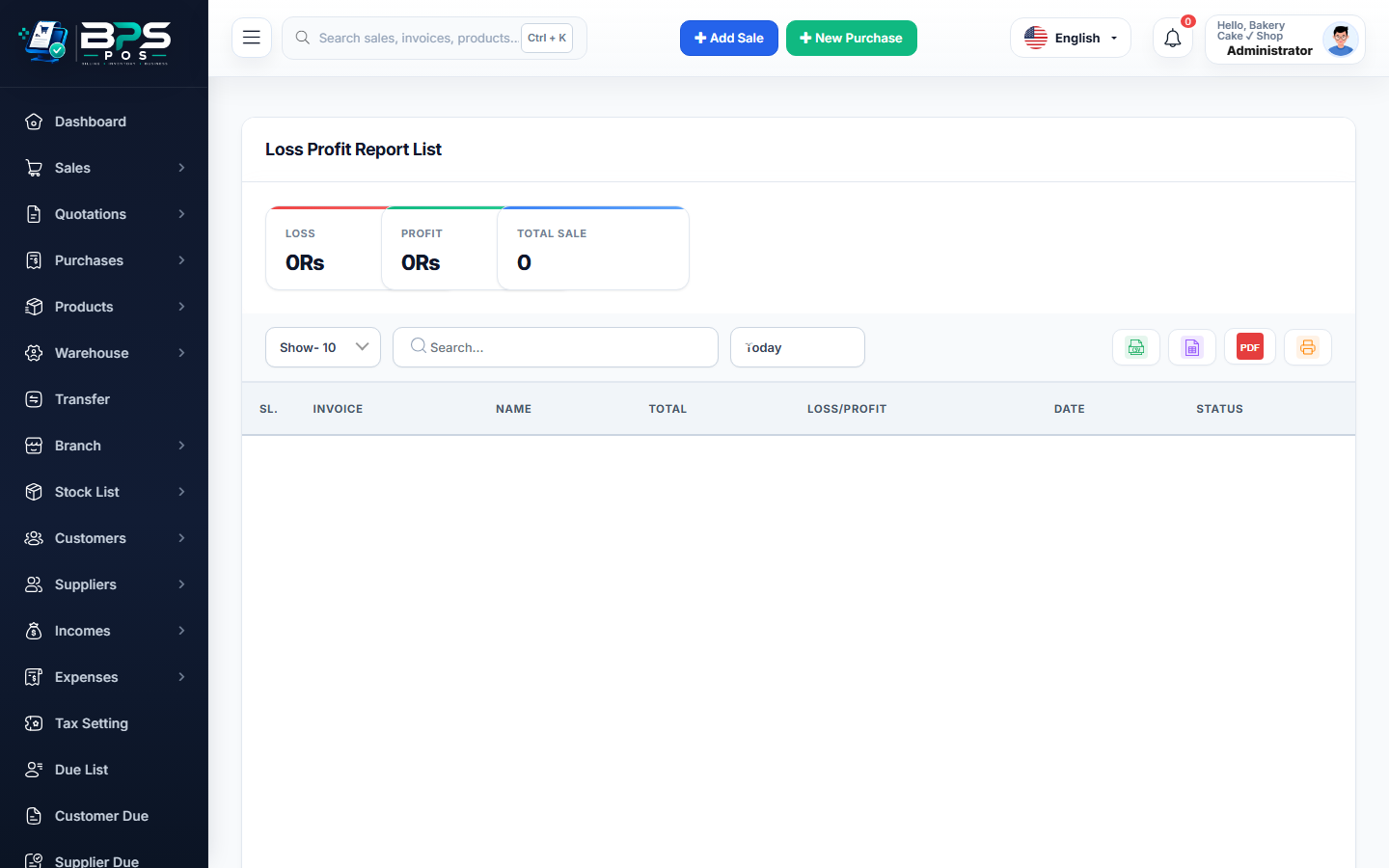
Figure: BPS POS Profit and Loss PNL Financial Report in BPS POS.
Generating Profit & Loss Reports
Follow these step-by-step instructions inside your BPS POS dashboard to configure and operate this workflow seamlessly:
- Go to Reports → Loss & Profit Reports.
- Select Reporting Interval: Choose Monthly, Quarterly, or Full Financial Year.
- Analyze Gross Profit:
Gross Revenue - Cost of Goods Sold (COGS) = Gross Profit Margin. - Review Operating Overheads: Inspect itemized expenses (Store Rent, Staff Salaries, Utilities, Waste Losses).
- Evaluate Bottom-Line Net Profit:
Gross Profit - Operating Expenses = Net Business Profit.
BPS POS Pro Tip & Best Practice
Aim for a healthy Net Profit Margin of 15% to 25% depending on your retail industry niche (supermarket, pharmacy, or apparel).
Why This Workflow Matters for Your Business
Lightning-Fast Operations
Eliminate cashier bottlenecks, reduce customer waiting times, and handle peak rush hours effortlessly.
100% Financial Accuracy
Automate tax math, stock deductions, and ledger balances to eliminate human calculation mistakes.
Frequently Asked Questions (FAQs)
Are customer return refunds factored into the P&L calculation?
Yes, Gross Sales are automatically reduced by Sales Returns to reflect true Net Invoiced Revenue.
Ready to Upgrade Your Retail Billing?
Experience lightning-fast billing, automated stock tracking, and multi-branch control with BPS POS.
Explore Pricing Plans →



