Tax compliance is non-negotiable for modern retail. BPS POS Tax Engine supports multiple VAT tax rates (0%, 5%, 15%, 18%), composite tax groups (State + Federal Tax), and both Tax-Inclusive (retail tag price includes tax) and Tax-Exclusive models.
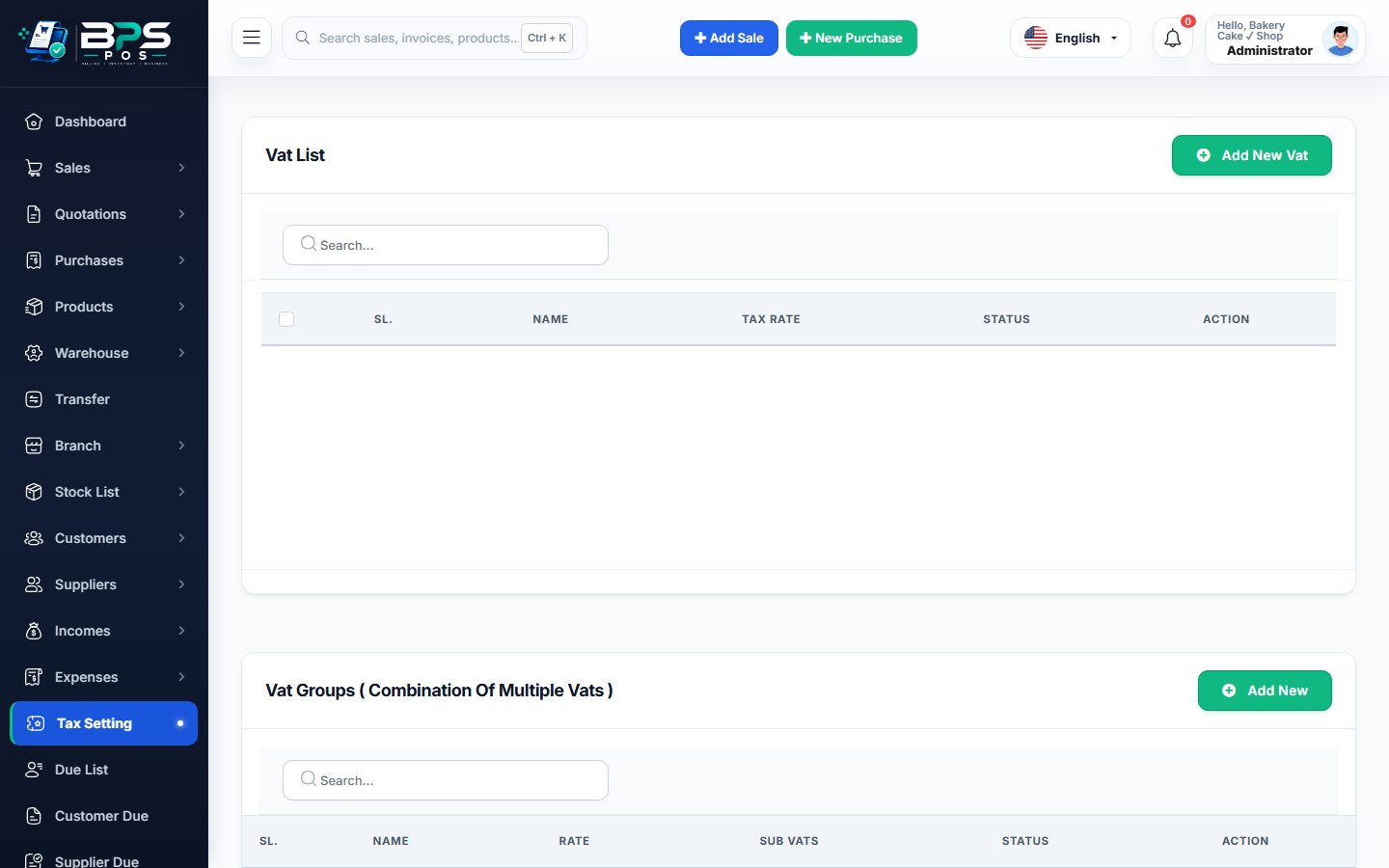
Figure: BPS POS VAT Rates and Tax Groups Configuration in BPS POS.
Configuring VAT Rates and Tax Rules
Follow these step-by-step instructions inside your BPS POS dashboard to configure and operate this workflow seamlessly:
- Go to Settings → Taxes / VAT → Add Tax Rate.
- Define Tax Name & Rate: E.g., Standard VAT 15%, Reduced Food Tax 5%, or Zero Rated (0%).
- Set Tax Calculation Type: Choose Tax Inclusive (retail price includes tax) or Tax Exclusive (tax added at checkout).
- Create Compound Tax Groups: Combine multiple local taxes (e.g. 10% Central GST + 5% Provincial Tax = 15% Group).
- Assign Default Tax: Set standard rate as default for newly created products in catalog.
- Generate VAT Audit Reports: Download filing-ready VAT reports under Reports → VAT Reports.
BPS POS Pro Tip & Best Practice
Use Tax Inclusive for retail supermarkets so customers pay the exact sticker price displayed on shelf price tags.
Why This Workflow Matters for Your Business
Lightning-Fast Operations
Eliminate cashier bottlenecks, reduce customer waiting times, and handle peak rush hours effortlessly.
100% Financial Accuracy
Automate tax math, stock deductions, and ledger balances to eliminate human calculation mistakes.
Frequently Asked Questions (FAQs)
Does BPS POS generate government-compliant QR codes on receipts for tax authorities?
Yes, BPS POS supports ZATCA Phase 1 & 2 (Saudi Arabia), FBR (Pakistan), and UAE FTA compliant cryptographic QR codes.
Ready to Upgrade Your Retail Billing?
Experience lightning-fast billing, automated stock tracking, and multi-branch control with BPS POS.
Explore Pricing Plans →